Order Builder - Half & Half Product Selection & Ordering
Updated 15 September 2022
Please note that Half & Half feature functionality is currently unavailable.
Selecting a Product to Order
Half and Half Pizzas
-
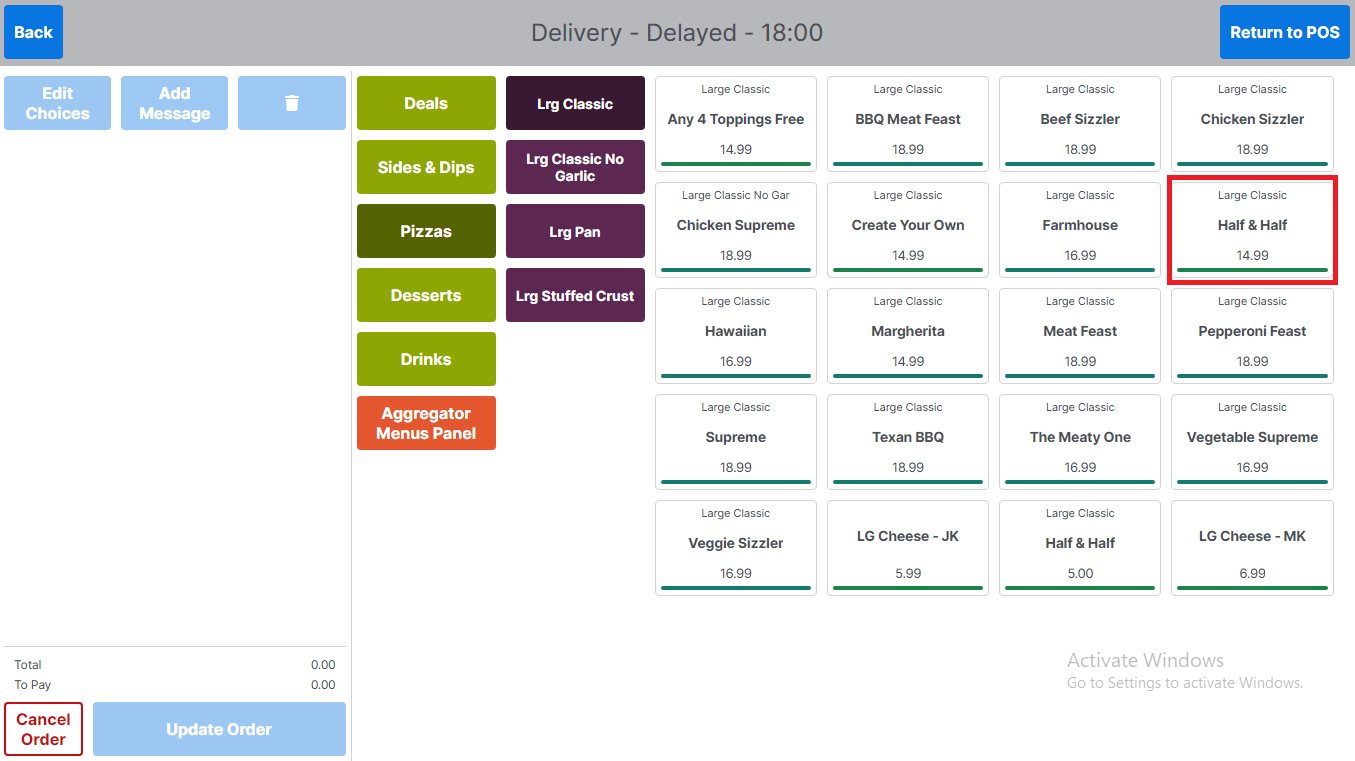
Select Half & Half pizza
-
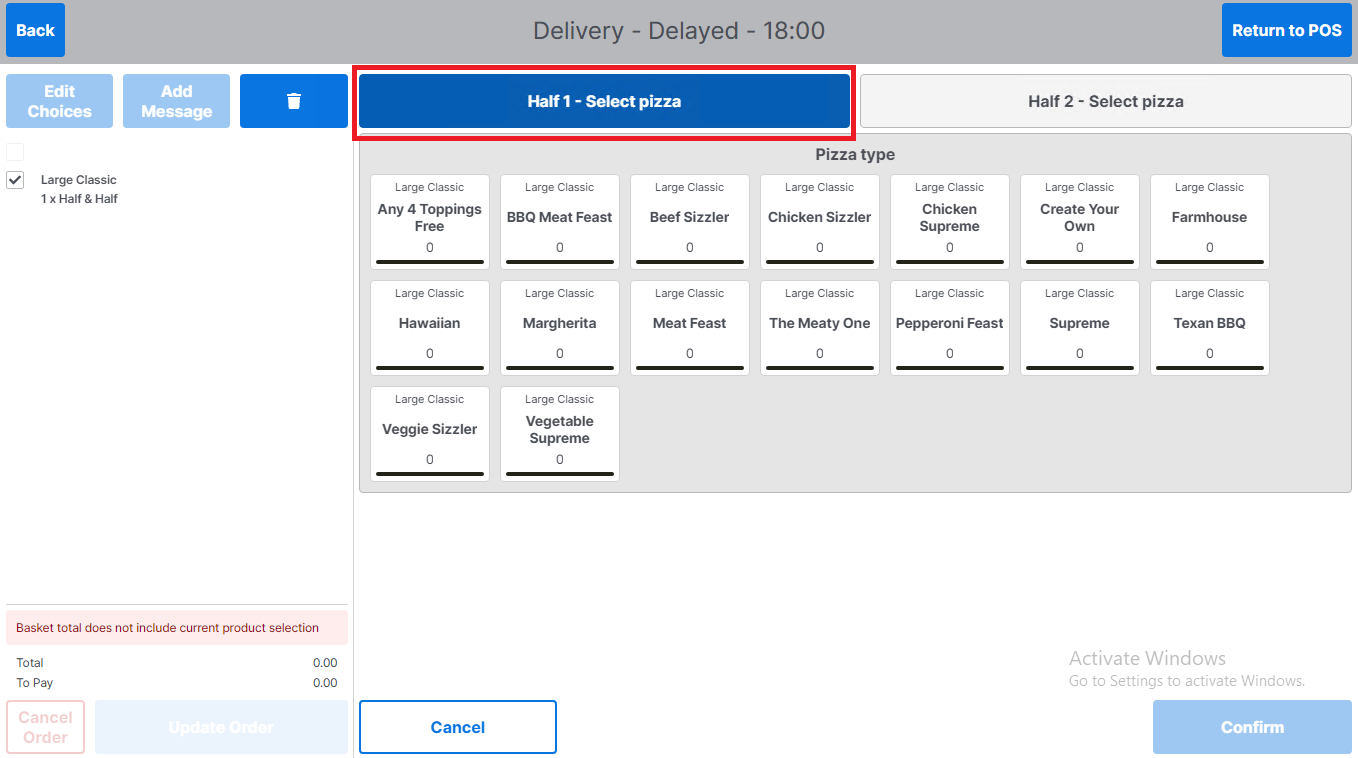
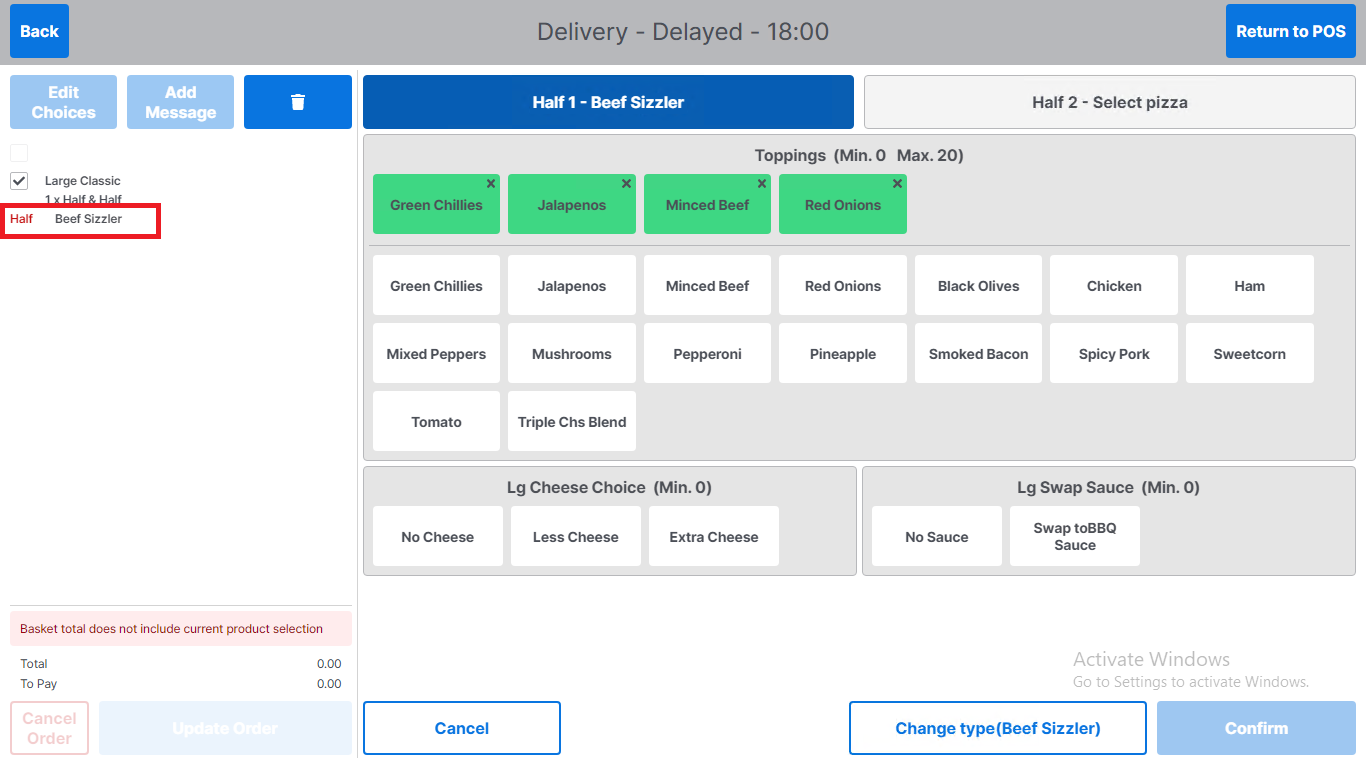
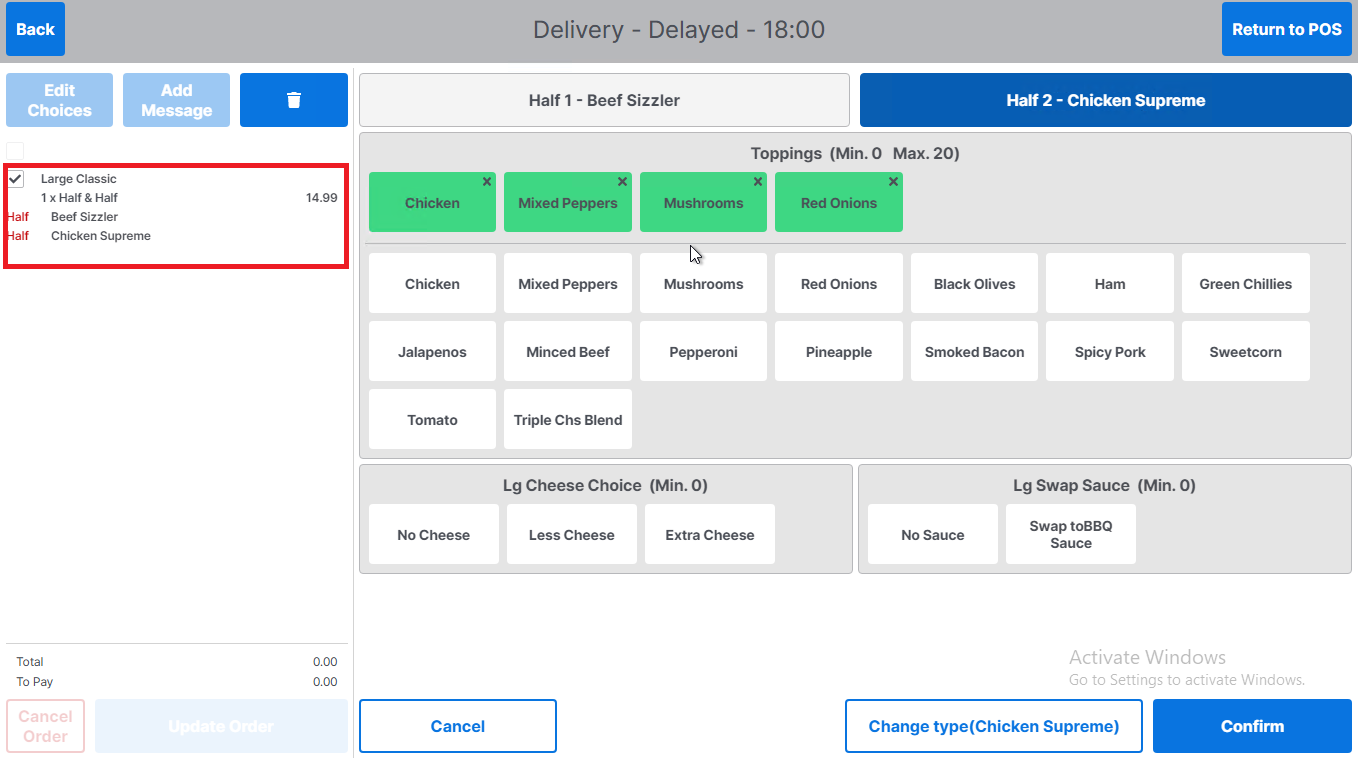
The tabs at the top of product selection screen are highlighted to reflect which half of the pizza is being edited – currently this is 'Half 1'
-
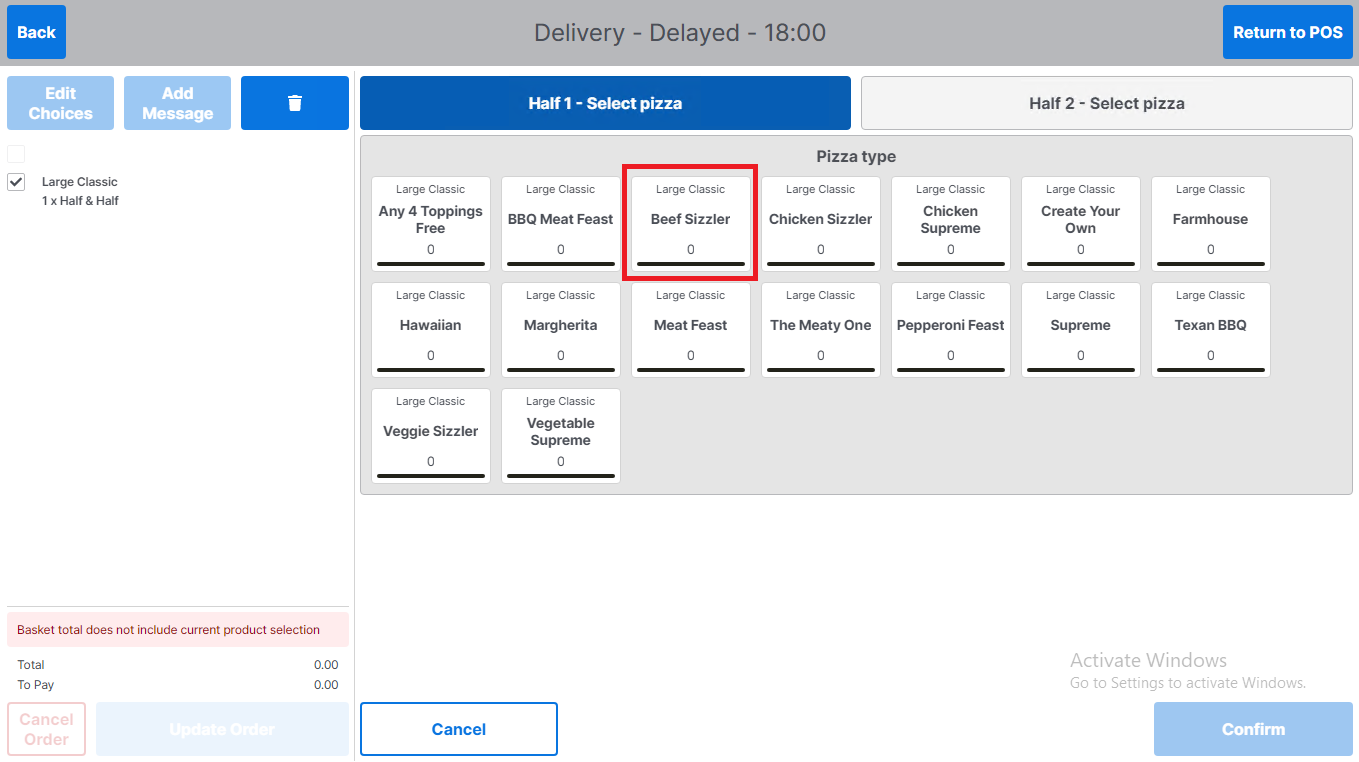
Select pizza for the first half of pizza
-
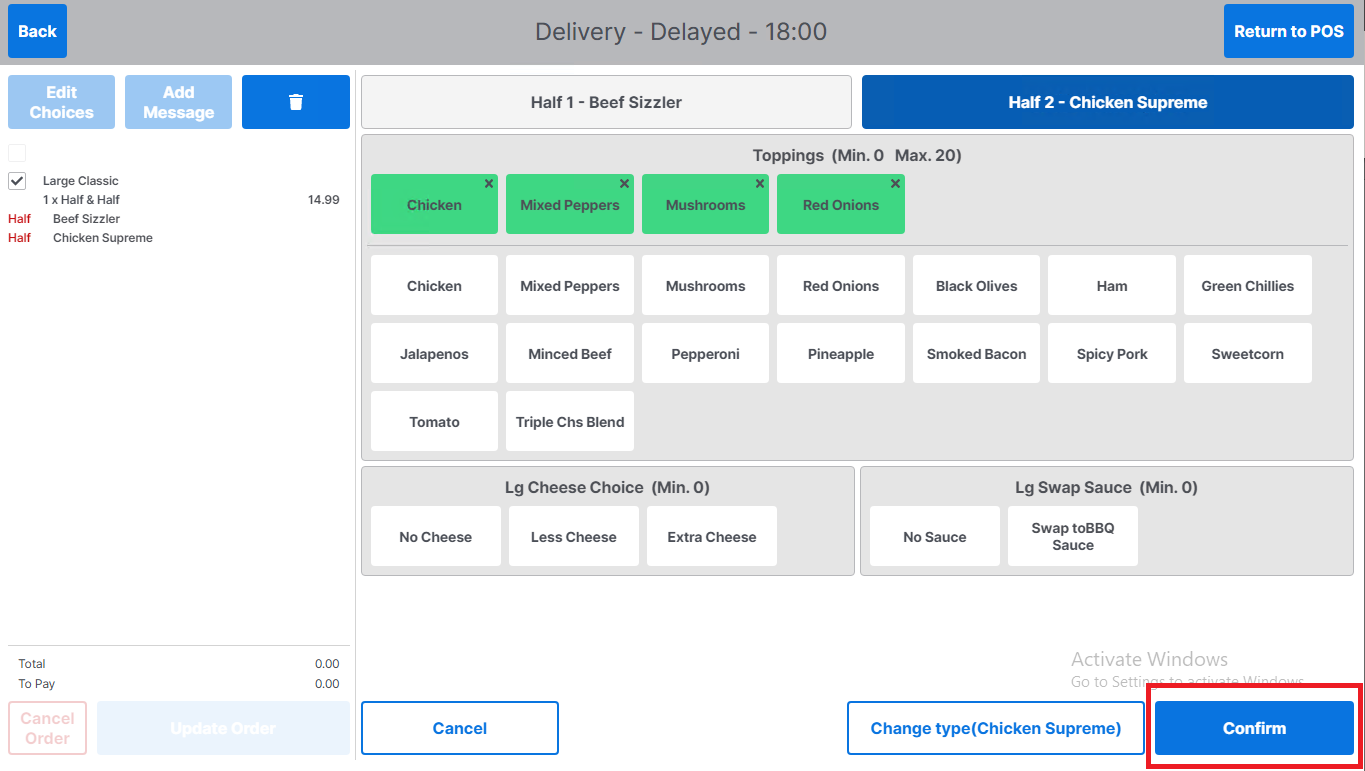
Select / edit any toppings for that half of the pizza
-
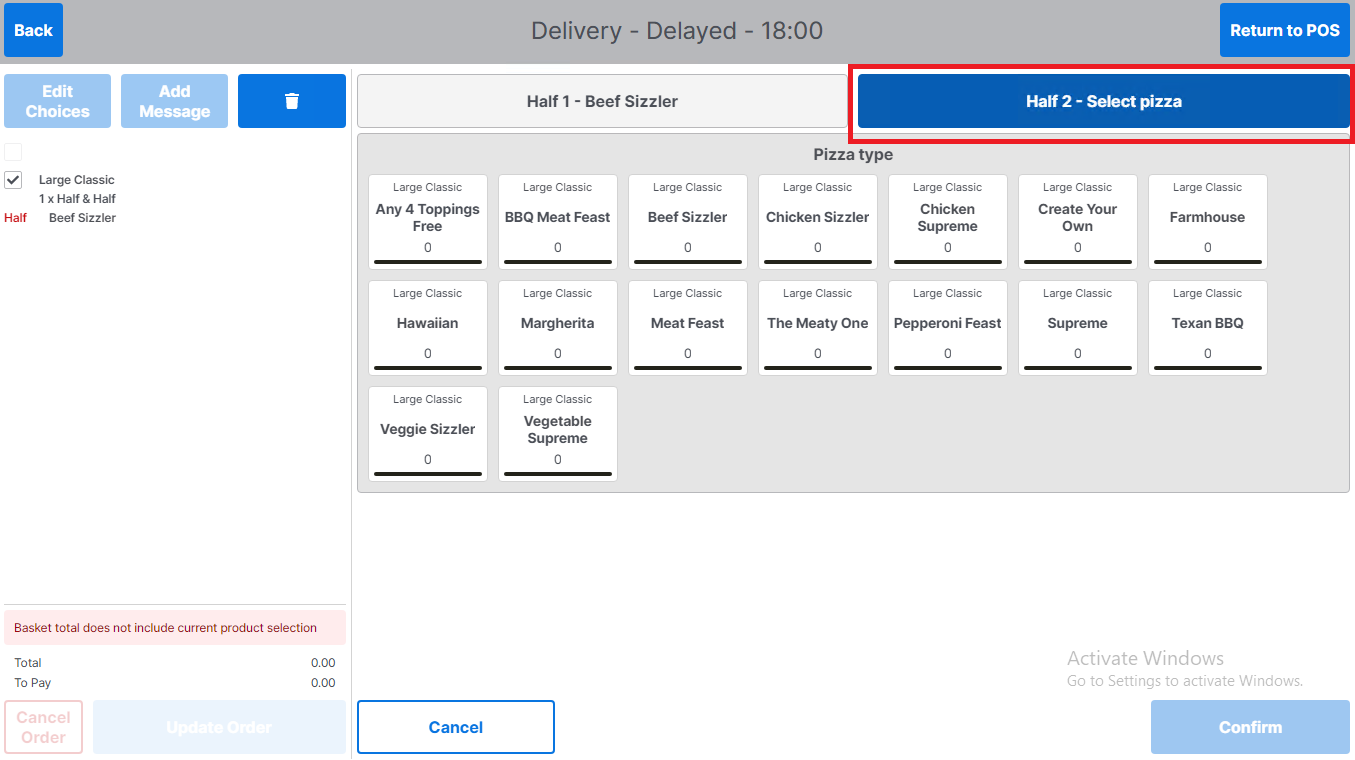
Repeat for second half of pizza by selecting the Half 2 tab
-
Repeat steps for pizza selection
-
To edit a pizza choice, return to the half tab where editing is required
-
Toppings can be edited in the same way as for a standard pizza selection
-
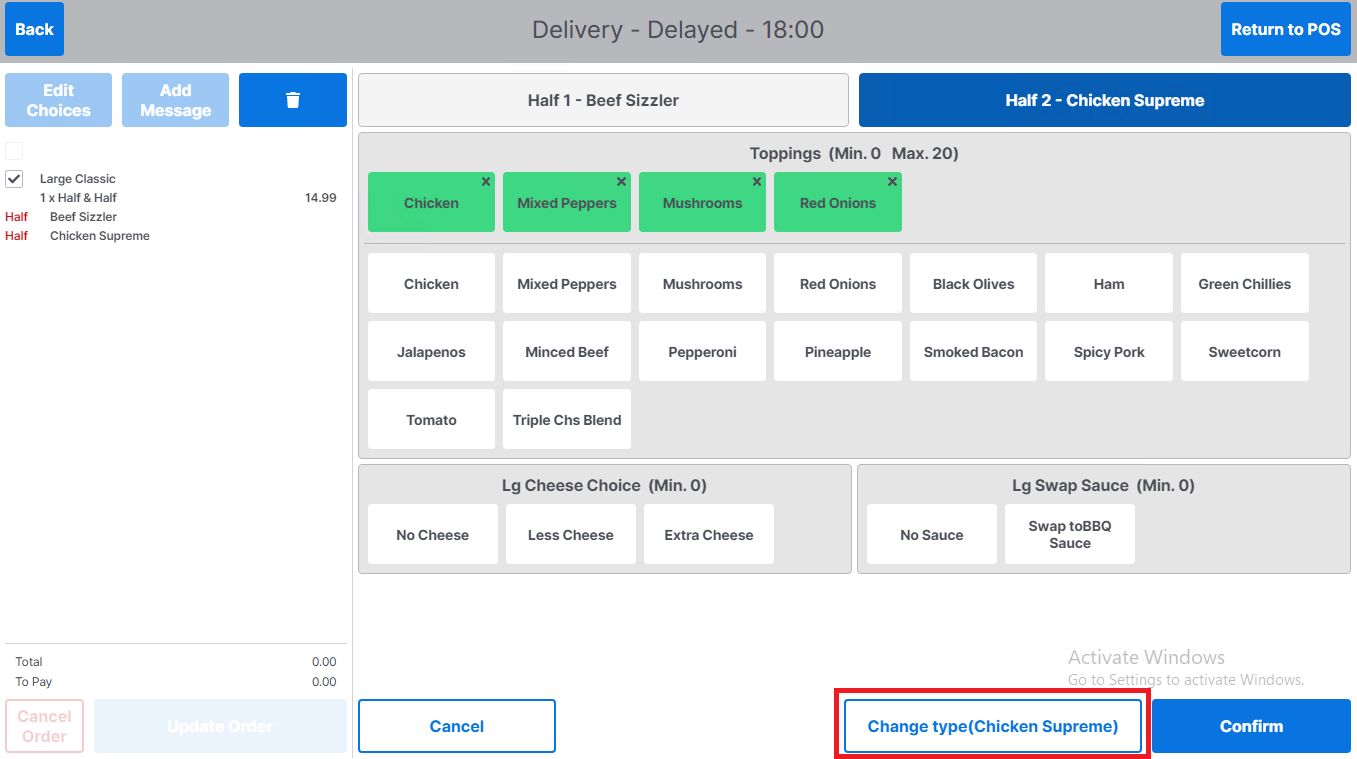
To change the pizza type, select Change type. The current pizza type will be displayed in brackets on the Change type button
-
-
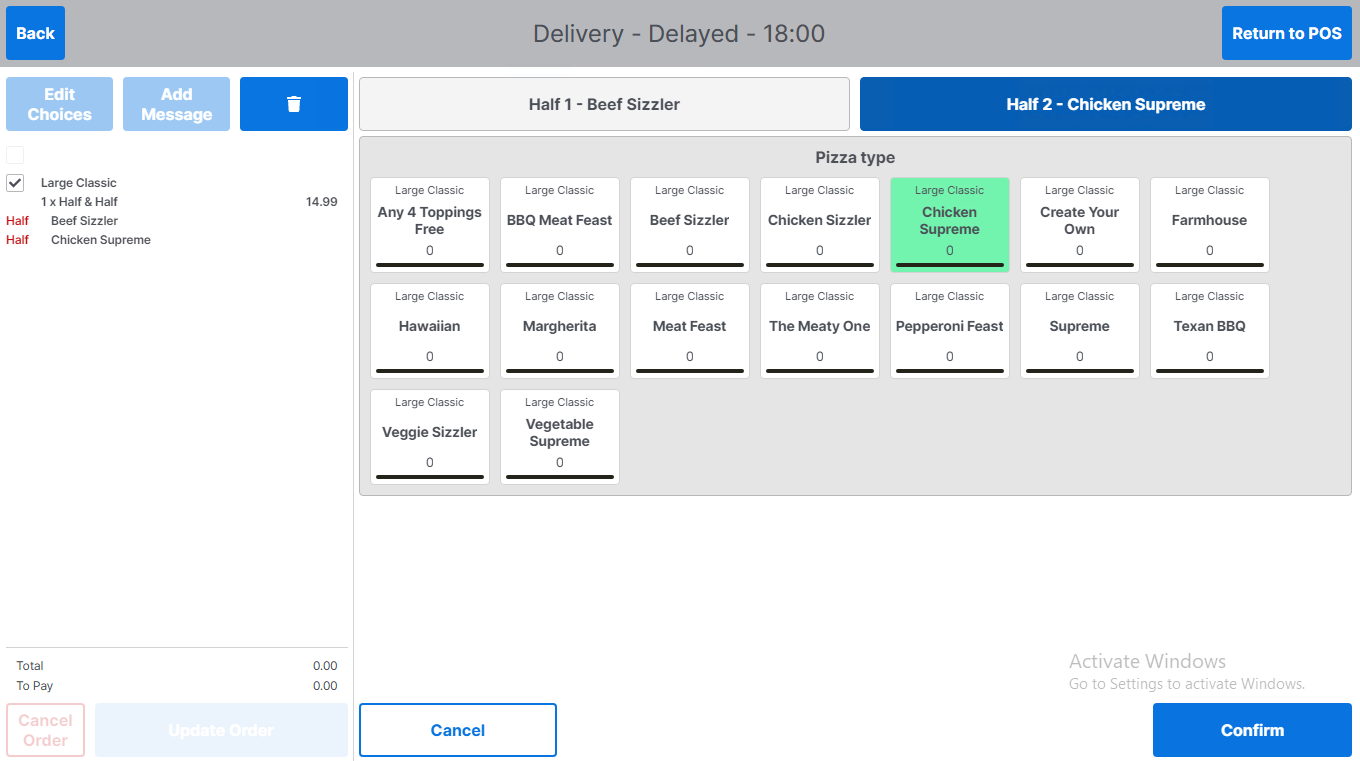
Once selected, the user will be returned to the pizza type selection screen, with the current pizza type highlighted
-
Select new pizza type and continue with order
-
You can view product selected in the basket. Please note: The basket Total will not update until product selection is complete and has been confirmed
-
Once the pizza selection is complete for each half of the pizza the Confirm button is enabled.
-
Select Confirm to confirm product selection